Animation Capture & Effects Lab

The floor where the shot gets made.

Motion capture, a green screen cyclorama, and an LED volume, in one room at Drexel Digital Media.

What students do here

Four kinds of work run through this room. Every one of them is something a studio will pay a graduate to do, and every one of them is learned by doing it badly first.

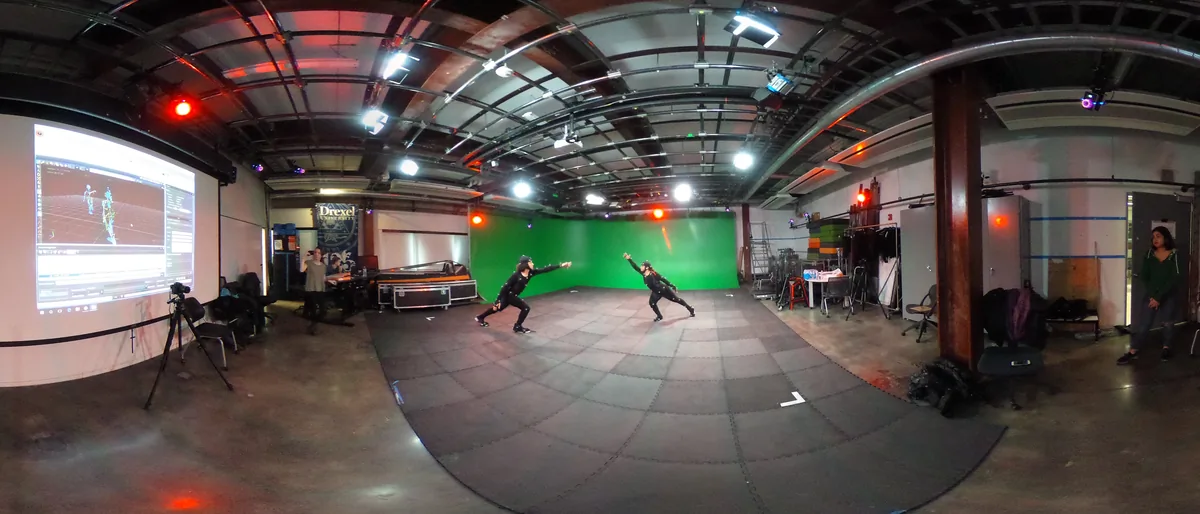
Two performers in motion capture suits mid action in the ACE-Lab volume, surrounded by tracking cameras, with a live capture preview projected on the wall behind them

Performance capture

Direct a performer in a marker suit, run the Vicon volume, and watch a character move in real time. You learn to run the shoot, not just attend it: calibration, marker placement, take management, and the judgment to know when a take is usable.

Taught in DMVP 300
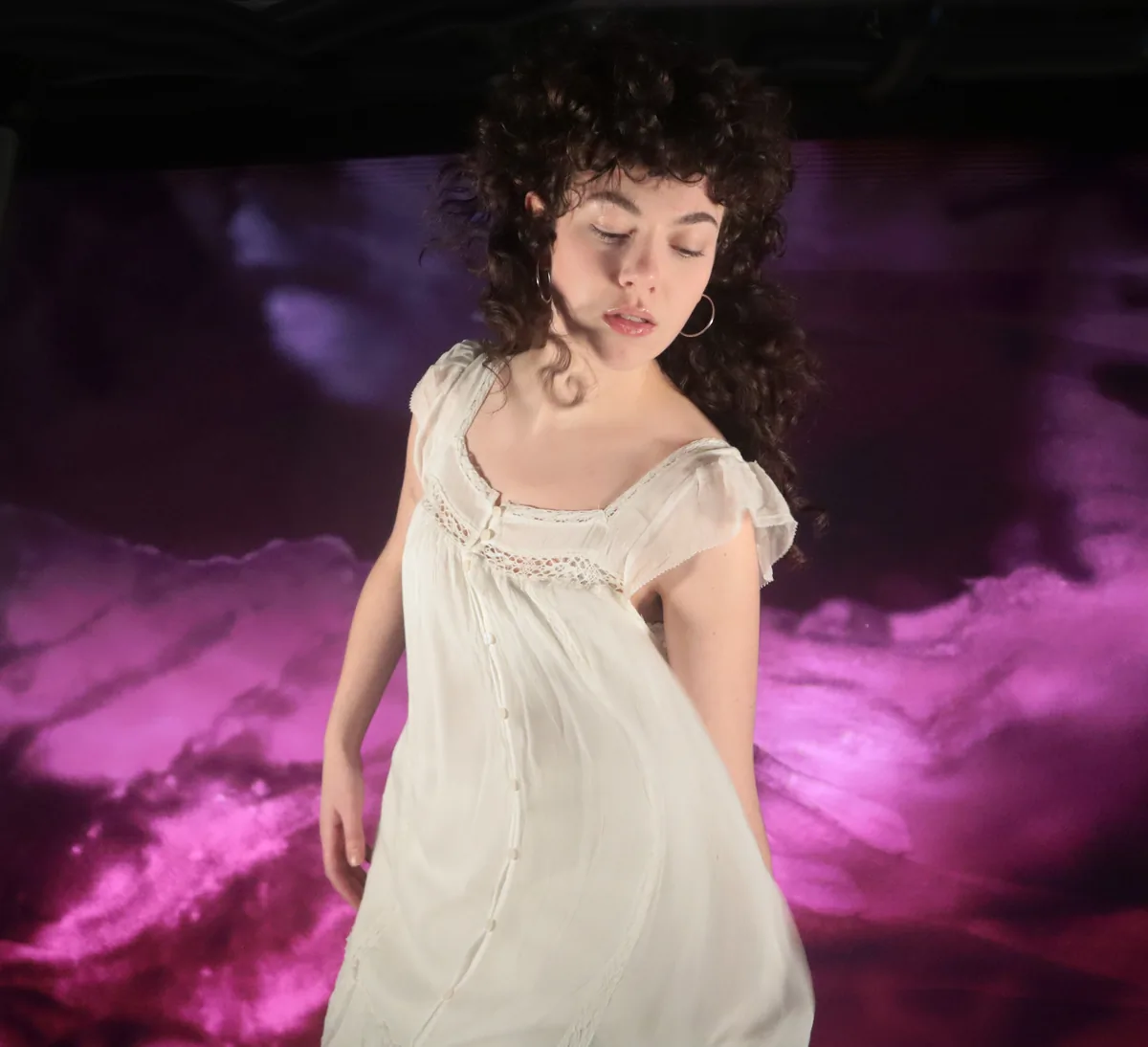
A student performer keyed off the green screen and composited against a rolling violet sky

Cleanup and retarget

Raw capture is never finished. Solve the skeleton, fill occlusions, retarget onto a rig whose proportions do not match the performer, and keep the performance intact through all of it. This is the part of the pipeline studios actually hire for.

Taught in DMVP 310

In camera virtual production

Build the environment in Unreal, put it on the LED wall, and shoot the final pixel in camera. Frustum tracking, genlock, color matching between the wall and the practical lighting: the shot is finished when the camera stops rolling.

Taught in DMVP 320

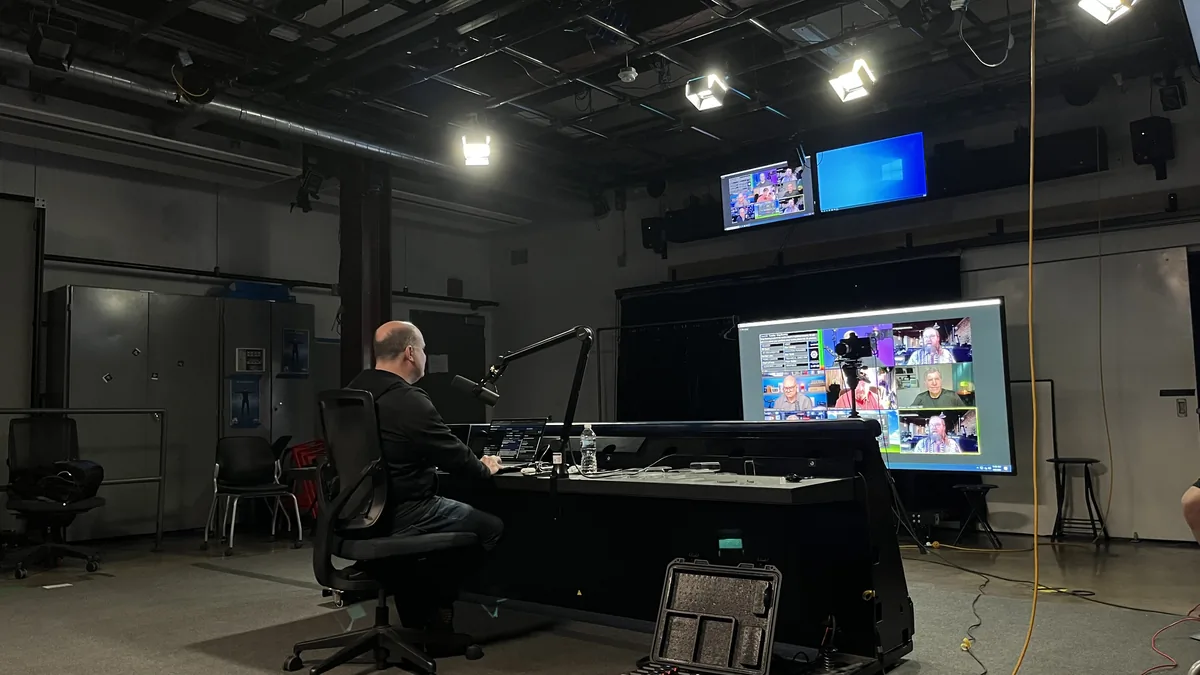
A student at the ACE-Lab control desk working across a bank of monitors showing camera feeds and a multiview

Live and real time pipelines

Multi camera cuts through the ATEM, hardware keying on the Ultimatte, replay off Resolve, and a real time engine feeding graphics into all of it. Live work has no undo, which is exactly why it teaches faster than anything else in the building.

Taught in VRIM 388, VRIM 488

The floor

Sixteen hundred square feet of working studio. Not a demo room, and not a lab you tour once on an open house: it is scheduled, booked, and shot in all year.

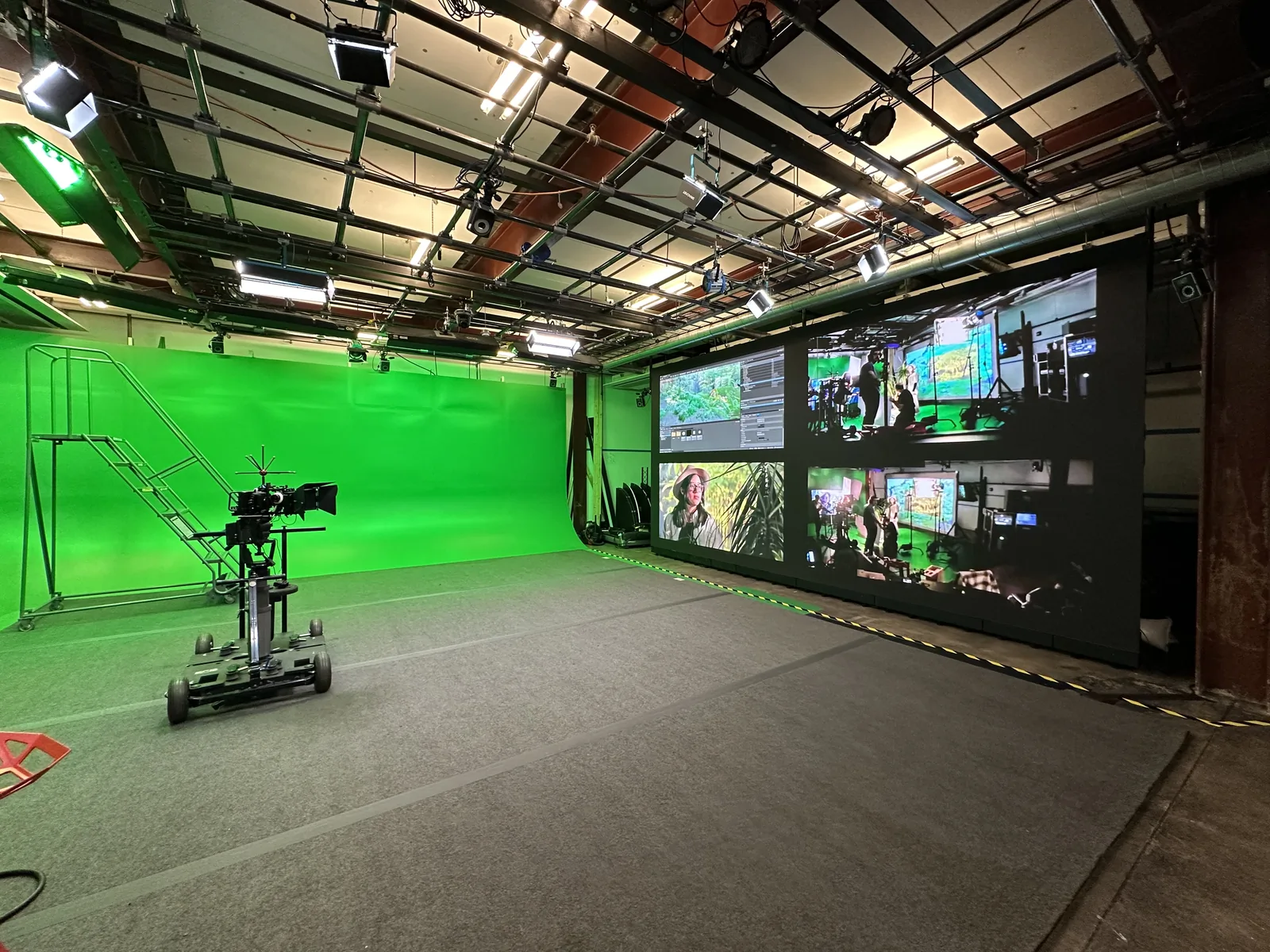
The ACE-Lab floor seen end to end: the green screen cyclorama sweeping across the left wall, a camera dolly parked at centre, and the monitor wall and control position along the right
The cyclorama, the dolly, and the control wall share one floor, so a shot can move from plate to composite without leaving the room.

Equipment

What is installed on the floor, grouped by where it sits in a production. Linked items go to the manufacturer's specs.

The stage

Cinema camera dolly
Doorway dolly with a rideable seat for tracking and push-in moves.
GVM PRO 650C lights opens the manufacturer site in a new tab
RGB and bi-color monolights for key, fill, and cyc wash.
Studio lighting kits
Grid-hung and floor-standing fixtures, softboxes, flags, and stands.

Capture

Vicon Vantage motion capture opens the manufacturer site in a new tab
Optical marker system covering the full performance volume.
Stereo 360 video capture
Rigs for stereoscopic 360 plates and immersive video.
Room scale VR tracking
Tracked headsets and controllers for scouting and previs on the floor.

Cameras

Blackmagic URSA Mini Pro 4.6K opens the manufacturer site in a new tab
Digital film camera for narrative and plate photography.
Blackmagic Studio Camera 4K Pro G2 opens the manufacturer site in a new tab
Multi-camera studio bodies for live and broadcast work.

LED volume

AOTO RM1.5E panel wall opens the manufacturer site in a new tab
72 panels making a 20 by 10 foot volume wall.
Brompton SX40 processor opens the manufacturer site in a new tab
Drives the wall and holds genlock with the camera.
Silverdraft Demon render node opens the manufacturer site in a new tab
Renders the Unreal Engine environment feeding the wall in real time.

Control

Blackmagic ATEM Constellation opens the manufacturer site in a new tab
Production switcher for multi-camera cuts and live output.
Blackmagic Ultimatte 12 opens the manufacturer site in a new tab
Hardware keyer, so the composite is judged live rather than in post.
DaVinci Resolve Replay opens the manufacturer site in a new tab
Instant replay and highlight cutting for live event work.
Projection for in camera effects
Front and rear projection, plus the immersive projection dome.
A day on the floor, silent and uncut: the cyclorama rigged for a dolly move, a set dressed and lit on the turntable beside it, and the composite being judged on a monitor a few feet away.

Getting on the floor

The lab is not a locked showpiece. It is a working studio students are trained on, checked out on, and trusted with.

  1. Get on the roster through a course

    Floor access starts in the classroom. Studio courses in Animation and Visual Effects and in Digital Media Virtual Production schedule their own time in the lab, and finishing one is what puts you on the trained list.

  2. Check out on the gear you need

    Each system is signed off separately. Camera and lighting come first, then the Vicon volume and the LED wall, because those two carry the calibration and safety procedures that take the longest to learn properly.

  3. Reserve the room

    Trained students book the floor for project work outside scheduled class time. Bookings go through the lab, and a supervisor is present for any session using the volume or the wall.

  4. Bring a project

    Senior projects, co-op work, research with faculty, and cross department collaborations all shoot here. If the work needs the room, there is a way to get it in the room.

Access questions go to your studio instructor first. Prospective students should start with the Animation and Visual Effects program, which is where most of the coursework that opens this room lives.